Know what’s holding up your operation.
Which orders are waiting on stock? What’s overdue on the floor? Prism brings inventory, production, shipping and finance together, with a 0–100 Health Score that helps you decide where to start.
Poor — attention needed
See the signals. Know your next move.
Follow the work from order to shipment
Check available stock, plan production, ship the order and record the financial activity. Pick a module to take a closer look.
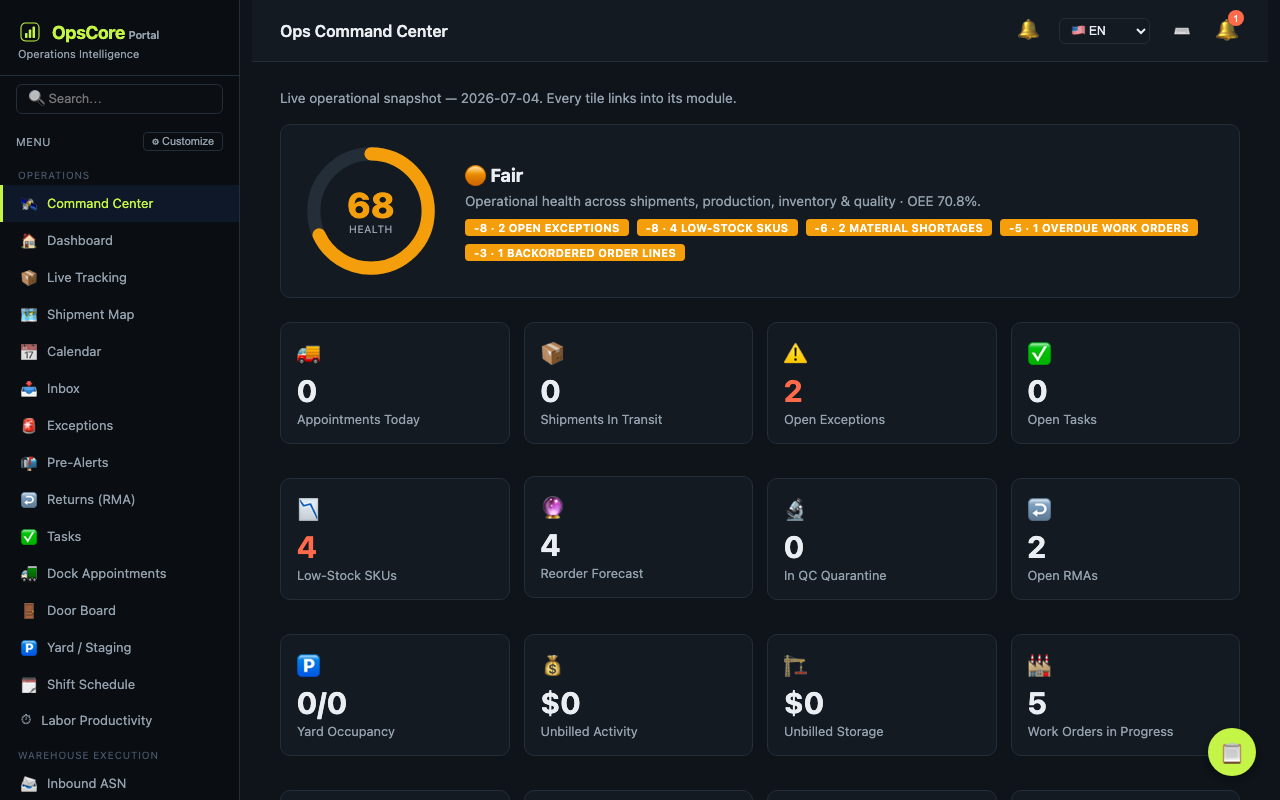
Command Center
Start with the work that needs attention.
- Health Score with a breakdown of contributing issues
- Exceptions, overdue work and stock shortages
- KPI trends and signals to investigate
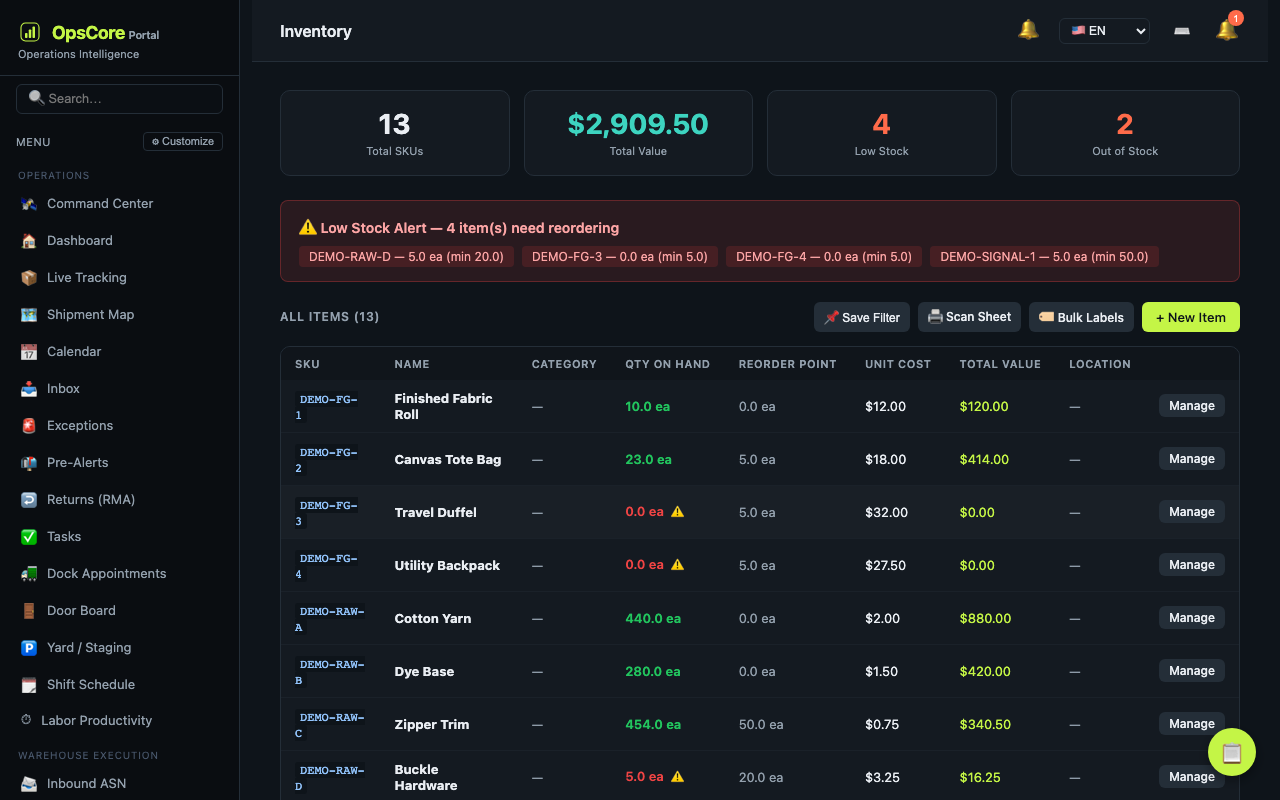
Inventory & Allocation
Know what you have, where it is and what is available.
- Stock by bin, warehouse and lot
- Available-to-promise by warehouse and packaging-unit conversions
- Cycle counts, transfers, inventory valuation and landed costs
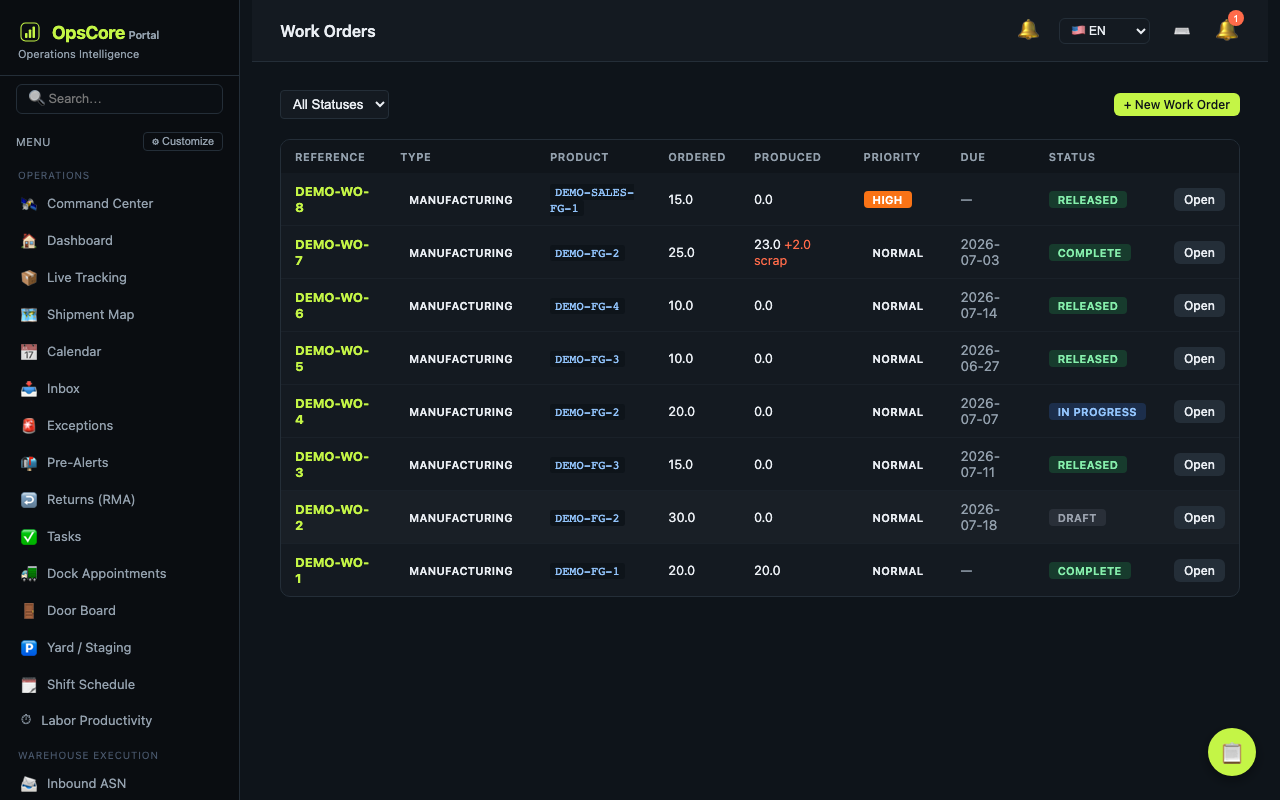
Manufacturing
See what a job needs before it reaches the floor.
- Multi-level bills of materials and material planning
- Work orders, work-in-progress stock and quality checkpoints
- Shop-floor time, downtime, scrap and production costs
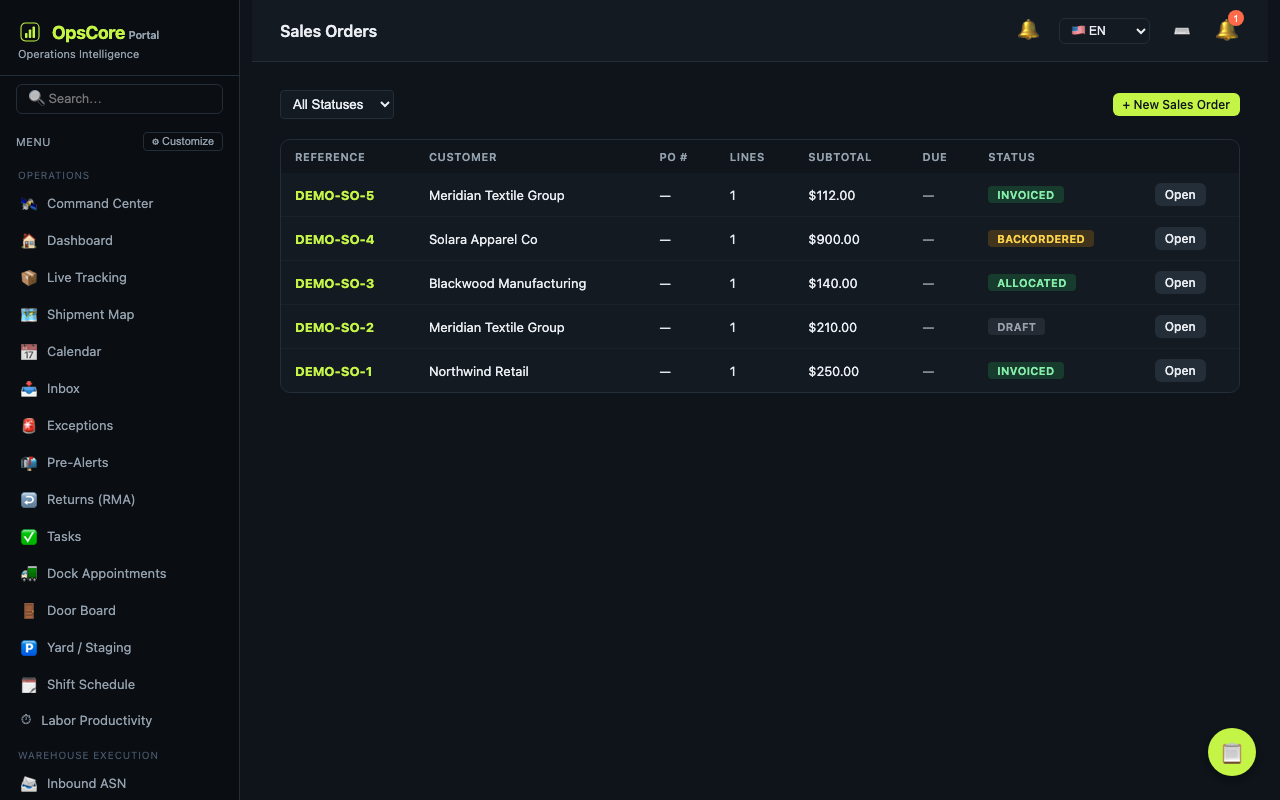
Sales & CRM
Keep the customer request connected to the order.
- Quotes, sales orders and stock allocation
- Make-to-order work orders, fulfillment and invoices
- Contacts, opportunities, activities and customer portal
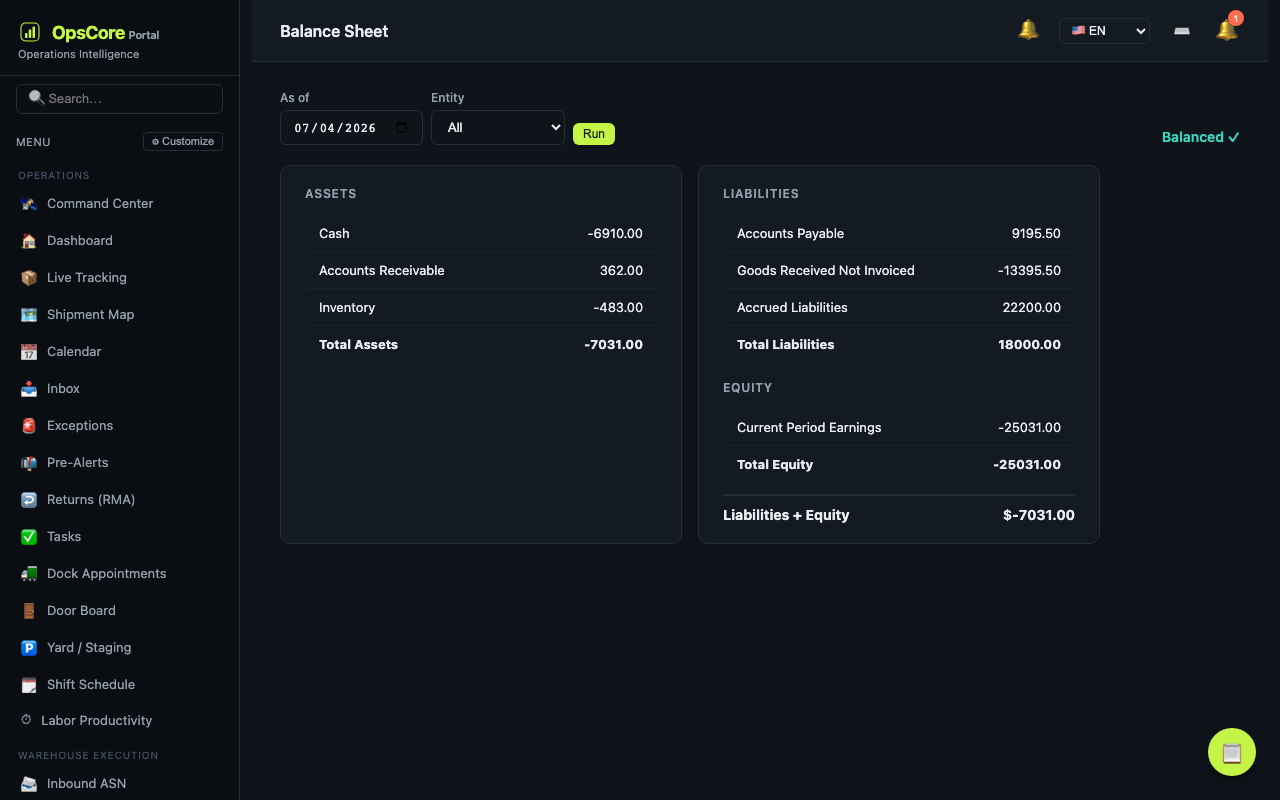
Finance & Accounting
Keep the books connected to operational activity.
- Double-entry ledger and supported automatic postings
- Payables, bank reconciliation and financial statements
- Period close and inventory valuation reporting
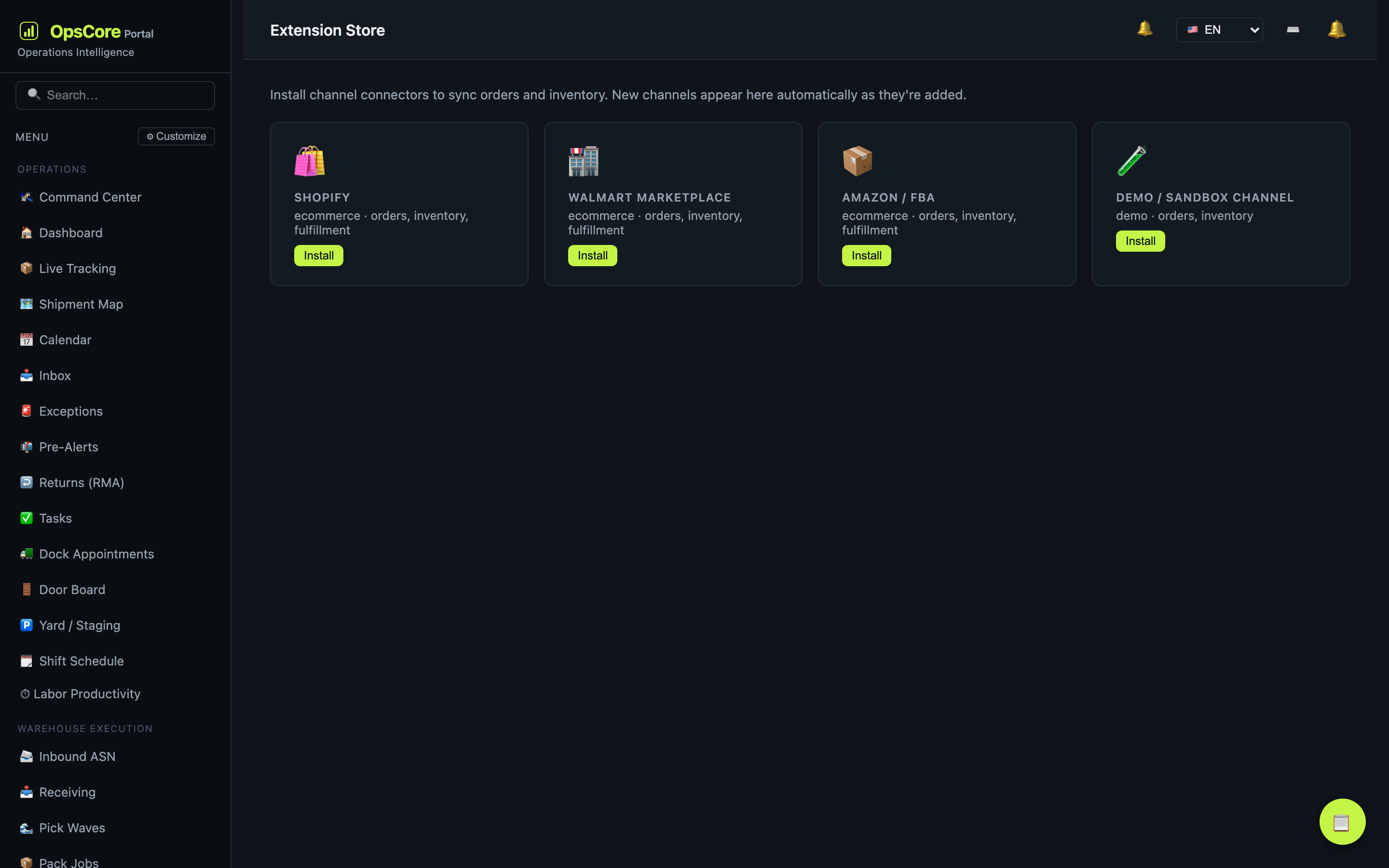
Integrations
Connect the tools you still need.
- REST API and webhooks for supported workflows
- Excel feeds and spreadsheet imports and exports
- Optional connectors, configured for your operation
The details your team works with every day
A late truck, a misplaced pallet or an unfinished job needs more than a dashboard. Prism gives your team places to manage the work behind the numbers.
See why the score changed
Review the exceptions, shortages and overdue work contributing to your Health Score, then open the records behind them.
Find stock on the floor
Link warehouse layouts to your storage locations. View stock by location without maintaining a separate inventory list on the map.
Plan the dock and the day
Book dock appointments, check for scheduling conflicts and keep arrivals, tasks and operational dates in view.
Track work between steps
Follow materials into work in progress, record production time and scrap, and use quality checks to control the next step.
Bring your team on board
Organize staff and teams, import user accounts in bulk and assign permissions for the work each person does.
Keep shipping paperwork straight
Use label presets and configurable document templates. Reissued bills of lading get a new revision rather than overwriting the earlier one.
Start with what you need
Choose an industry preset and enable optional features when you need them. Inbox and email prealerts do not have to be part of day one.
Ask about the records you can access
Ask Prism can explain operational issues using permission-filtered context. It is read-only and requires a configured AI provider.
“Why did our Health Score drop?”
Ask Prism uses the operational context your account is allowed to see to help explain what needs attention. Check its answers against the source records before acting.
Uses your configured provider key. Relevant operational context is sent to that provider to generate an answer. Ask Prism does not change your records.
For the teams that make, store and ship
Prism Portal is built for manufacturers, distributors, warehouse teams and 3PL operators. It brings the order, the stock, the work on the floor and the financial records into the same application, so your team has less to piece together across spreadsheets and separate tools.
Start with a workflow shaped for your industry, with presets for textile, food, medical, auto parts, electronics and more. Try it free in the sandbox, or spin up your own private instance.
Tell us how your operation runs
What do you make or ship? How many locations do you manage? Tell us where the handoffs get difficult, and we can work through whether Prism fits.
Try the workflows your team would actually use.
Start with a private trial tailored to your operation — no card, no sales call. Or sign in to an existing workspace.